For private investigation & process service agencies
Run every assignment from intake to released record.
Field Confirm is operations software for agencies. Take in the client’s request, dispatch it to an eligible provider, keep every attempt and piece of evidence on the work order, and release a reviewed report — with an audit trail behind each step.
Now in private preview with invited agencies. Existing teams can sign in.
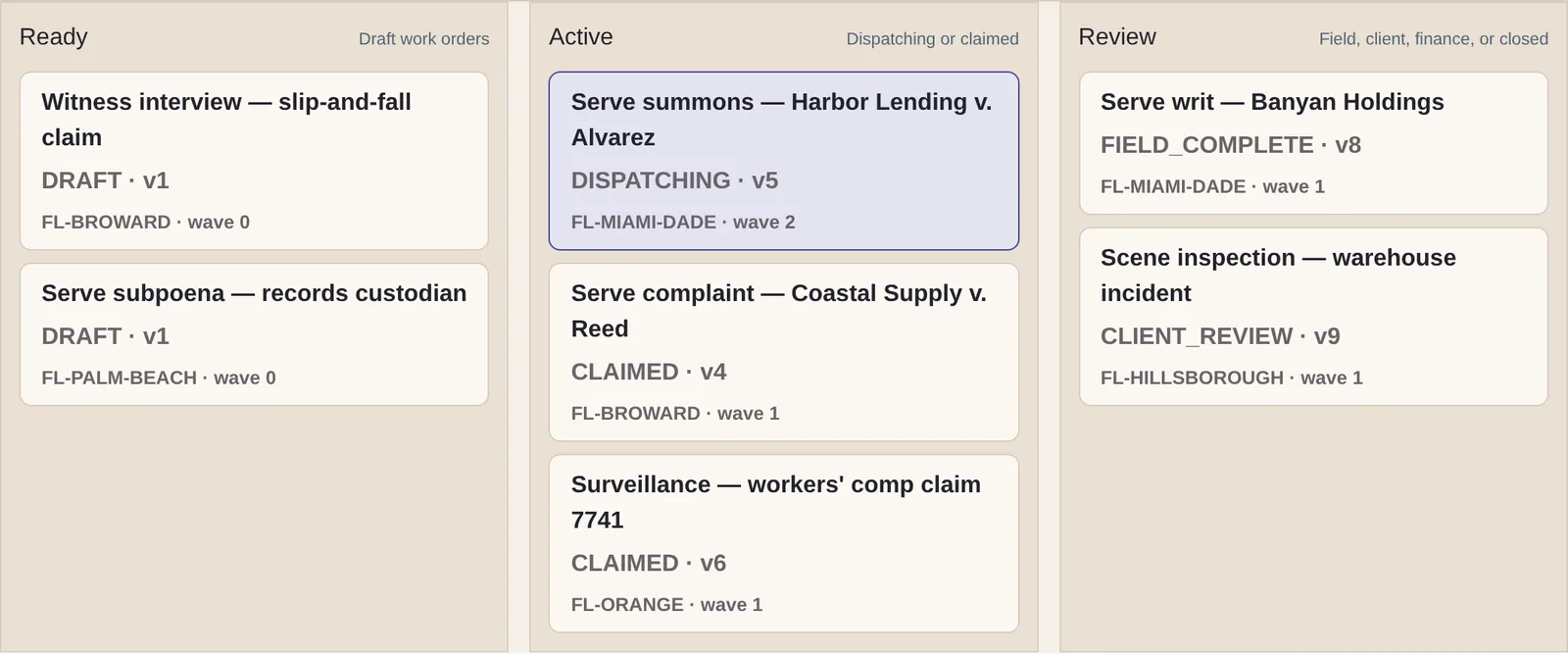
One lifecycle
The whole assignment, in one place.
Stop piecing the history together from email threads, spreadsheets, and texts. Every stage writes to the same work order, so the record is complete when the job is.
- 01
Intake
Single requests and bulk batches land in one queue.
- 02
Convert
Operations turns a request into an authorized work order.
- 03
Dispatch
Offer to eligible providers, cascade, or reassign.
- 04
Field
Attempts, surveillance logs, and evidence attach to the order.
- 05
Review
Reports are revised, signed, and released — or sent back.
- 06
Record
Every change keeps who made it, when, and why.
Inside the product
Built for the people doing the work.
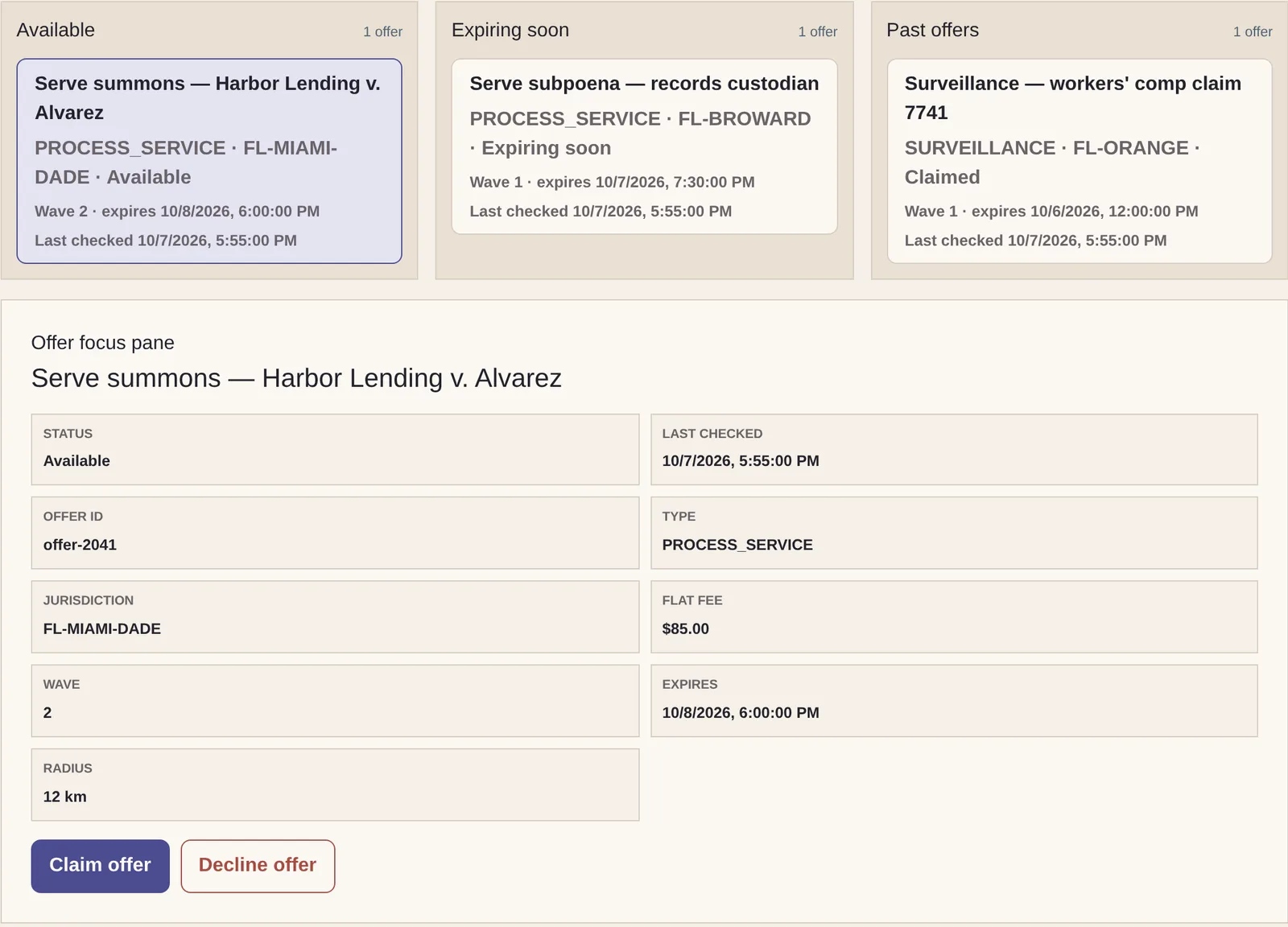
Dispatch
Offers reach only the providers who qualify.
Operations sends work in ranked waves to eligible providers. Each provider sees just the offers issued to them — fee, jurisdiction, wave, and expiry — and claims or declines in one step.
- Eligibility checked against the work order’s requirements
- Lapsed offers cascade to the next wave
- No client or case details beyond the offer
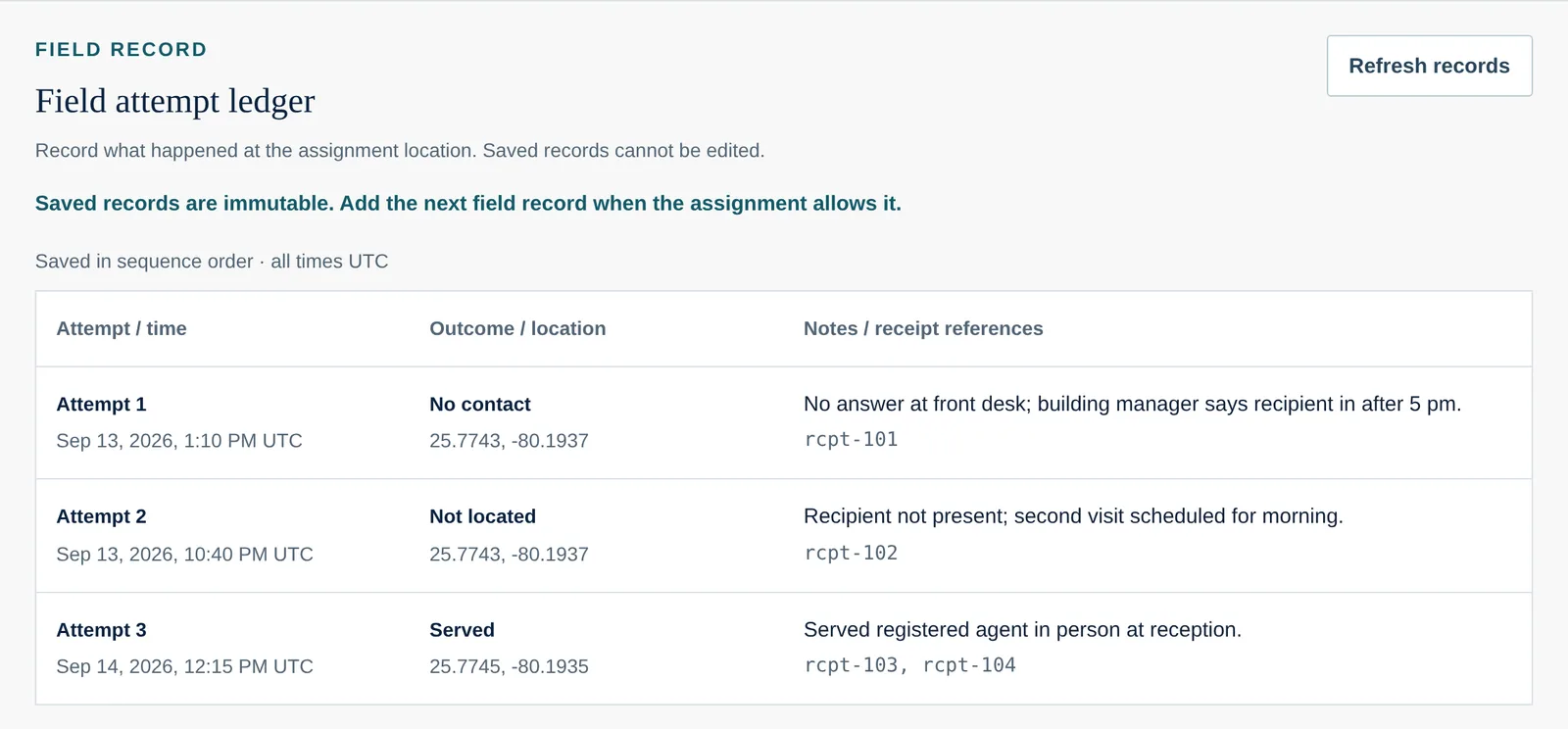
Field record
A field record that can’t be quietly rewritten.
Servers and investigators log each attempt against the work order: when, where, what happened, and which evidence backs it up. Saved records can’t be edited.
- Attempts saved in sequence, in UTC
- Evidence receipts attached to the attempt
- Providers see only their own assignments
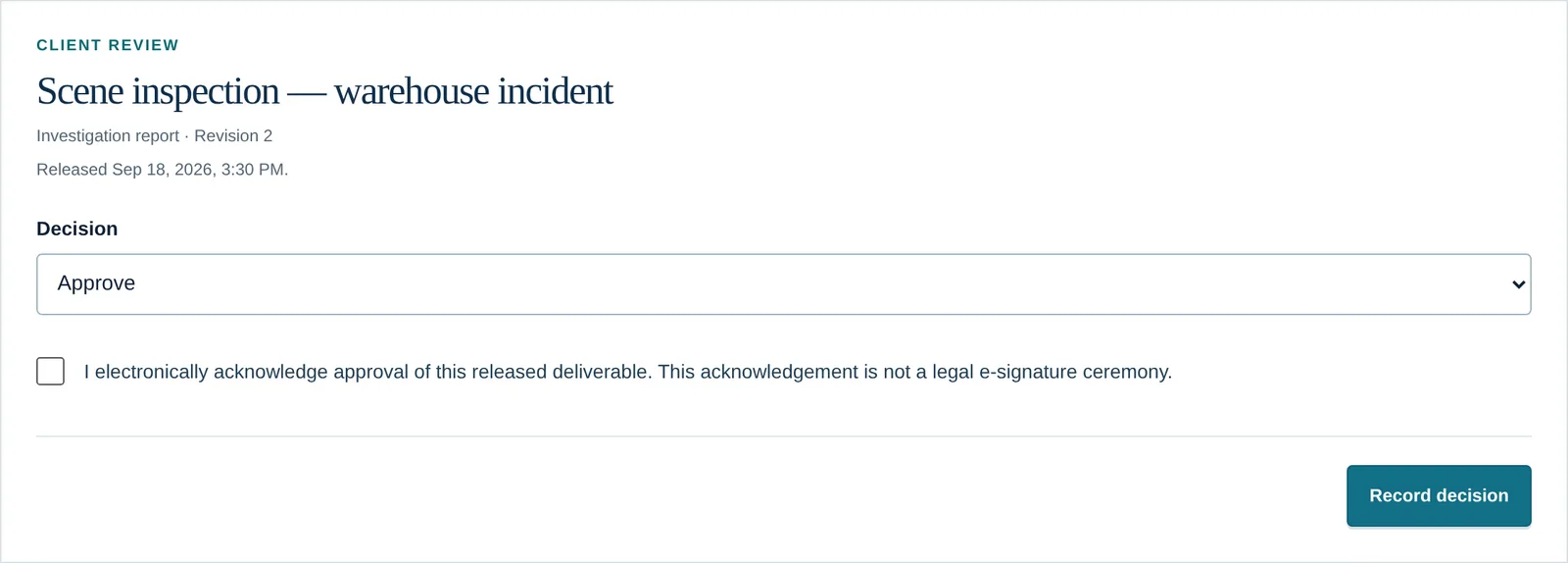
Clients
The client’s answer is part of the record.
Clients review the reports you release in their own workspace — approve, request changes, or reject — and each decision is saved against the exact revision.
- Client-safe copies leave out field evidence and provider data
- Requested changes can reopen fieldwork
- Status they can check without calling you
Security
Built for sensitive work from the first line of code.
Strong sign-in
Multi-factor authentication with authenticator apps and passkeys.
Need-to-know access
One verified role in one organization per session.
An audit trail that can’t drift
Each change and its audit entry are saved together.
No ad tracking
No advertising cookies or third-party analytics.
Questions
Frequently asked.
Who is Field Confirm for?
Private investigation agencies and process service companies that coordinate work across staff, contracted providers, and clients — and need a dependable record of who did what, and when.
Does Field Confirm perform service or investigations?
No. Field Confirm is software. Your agency and its licensed professionals do the work; Field Confirm coordinates assignments and keeps the record. It does not certify legal sufficiency or guarantee outcomes.
Can providers see my clients or other cases?
No. Providers see the offer details they need to claim or decline work, and then only the assignments they hold. Client, case, and location details stay with the people authorized to see them.
How do my clients follow their work?
Clients get their own protected workspace. They can submit requests, check status, and approve, request changes to, or reject the reports you release — and every response is recorded.
Is Field Confirm available now?
Field Confirm is in private preview. We are onboarding a small number of agencies and walking each one through the product with sample records shaped like their work.
What does it cost?
Pricing depends on your service lines and volume. We’ll go through it on your walkthrough.